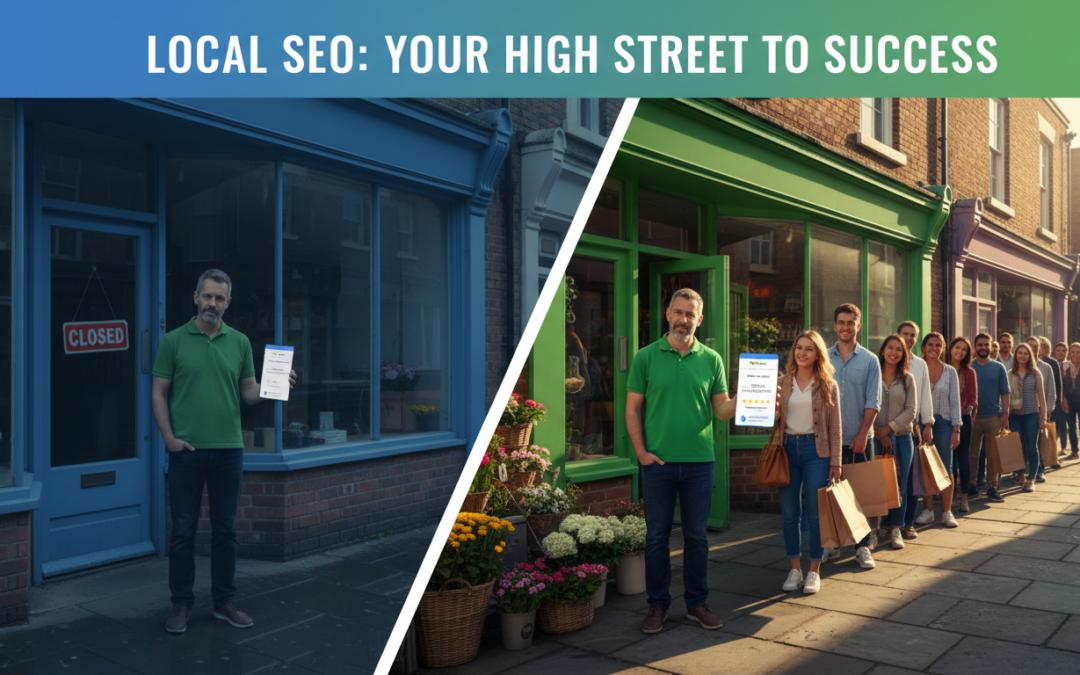
How to dominate local search results and actually get customers through your door
Picture this: It’s 11 PM on a Tuesday. Someone in Manchester has just discovered their boiler’s packed in. House is freezing. Kids are complaining. They grab their phone and type “plumber near me” into Google.
Three businesses pop up at the top. Yours isn’t one of them.
They ring the first number they see. Job’s worth £400. Gone. Just like that.
And here’s the kicker—this exact scenario plays out thousands of times every single day across the UK. People searching for services right now, in their area, credit card in hand. But if you’re not in those top three spots on Google, you might as well not exist.
That’s what local SEO is all about. And no, it’s not the same as regular SEO (I know, confusing). It’s a completely different beast with its own rules, its own tricks, and honestly? Way more opportunities for small businesses.
The best part? Most of your competitors are doing it wrong. Or not doing it at all. Which means if you get this right, you can absolutely dominate your local area.
So let’s get into it. I’m going to show you exactly how to rank at the top of local search results. No fluff, no theory—just what actually works.
What Actually Is Local SEO? (And Why You Should Care)
Right, so local SEO is basically making sure your business shows up when people in your area search for what you offer.
Think about the last time you searched for something like:
- “Coffee shop near me”
- “Dentist in Birmingham”
- “Best curry house Manchester”
- “Emergency plumber Leeds”
Google doesn’t show you businesses from London when you’re in Liverpool, does it? Nope. It shows you local results—businesses that are actually nearby, relevant, and (hopefully) decent.
Now here’s why this matters so much:
- Nearly half of all Google searches are looking for local stuff
- Three-quarters of people who do a local search visit a business within a day
- About 28% of those searches end in an actual purchase
- “Near me” searches have gone absolutely mental in the last few years—up over 900%
So if you’re running any kind of local business—whether that’s a law firm in London, a café in Edinburgh, or a CrossFit gym in Bristol—local SEO is hands down the most cost-effective way to get customers.
Better than Facebook ads. Better than flyers. Better than pretty much anything else you could spend money on.
How Google Actually Decides Who Shows Up First
Alright, so Google uses three main things to figure out which businesses to show in local search results. Understanding these is crucial because they’re literally what determines whether you show up or not.
1. Relevance (Are You What They Are Looking For?)
This one’s pretty straightforward. Google wants to match the searcher with the right type of business.
So if someone’s searching for “vegan restaurant Brighton,” Google’s looking for businesses that tick these boxes:
- Actually a restaurant (not a café or a food truck)
- Serves proper vegan food (not just one sad vegan option on the menu)
- Located in Brighton (not Hove, not Worthing—Brighton)
Makes sense, right?
Here’s how you improve your relevance:
- Pick the right category on your Google Business Profile (be specific—”Italian Restaurant” not just “Restaurant”)
- Write a proper business description with relevant keywords (but don’t go mad with it)
- Keep your services list bang up to date
- Add attributes that match what people actually search for
2. Proximity (How Close Are You?)
This one’s simple: how far away is your business from the person searching?
If I’m standing in Shoreditch and I search “coffee shop,” Google’s going to show me coffee shops in Shoreditch. Not ones in Kensington, even if they’ve got better reviews. Proximity matters.
Now obviously you can’t just pick up your business and move it closer to potential customers (that would be mental). But you can:
- Make absolutely sure your address is correct everywhere online
- Target neighborhood-specific keywords (“Shoreditch coffee” not just “London coffee”)
- Create separate pages for different areas if you serve multiple locations
- Get yourself listed in local directories for your specific area
3. Prominence (How Well-Known Are You?)
Think of this as your reputation score. How established and trustworthy is your business?
Google looks at loads of things here:
- How many reviews you’ve got (and how good they are)
- Links from other websites pointing to yours
- How many times your business name, address, and phone number appear online
- Your social media presence
- How often people click on your listing
- How many people ask for directions to your business
Basically, the more established and trusted you are, the higher you’ll rank. It’s Google’s way of making sure they’re recommending businesses that won’t let people down.
Step 1: Sort Out Your Google Business Profile (This Is Massive)
Right, if you only do ONE thing from this entire guide, make it this. Your Google Business Profile (used to be called Google My Business) is absolutely crucial.
This is what shows up in:
- The map pack (those three businesses at the top with the map)
- Google Maps when people search there
- That info box on the right side of search results
If your profile isn’t claimed and optimized, you’re basically invisible to local searchers.
How to Claim It:
Dead simple:
- Head to google.com/business
- Search for your business name
- If it’s already there, claim it. If not, create a new one
- Verify it (Google usually sends a postcard to your address with a code)
- Fill out EVERY SINGLE FIELD. Don’t skip anything
How to Actually Optimize It:
Business Name
Just use your actual business name. Don’t try to be clever and stuff keywords in there. Google will slap you for that. Just use your real name.
Category
Pick the most specific one you can for your primary category. You can add more categories after, but that first one is the most important. So “Italian Restaurant” beats “Restaurant.” “Emergency Plumber” beats “Plumber.”
Address
Has to match your website exactly. Like, character for character. If your website says “123 High Street” don’t put “123 High St” here. Keep it identical.
If you’re a service-area business (you go to customers rather than them coming to you), you can hide your address and just show the areas you serve.
Phone Number
Use a local number if you can. Not one of those 0800 numbers. And again—same number as on your website.
Website
Link to your homepage or a specific local landing page if you’ve got one.
Hours
Keep these updated. Seriously. Nothing annoys people more than showing up to a business that’s supposed to be open and finding it closed. Update them for bank holidays, Christmas, all that.
Description
You get 750 characters here. Use them all. Explain what you do, what makes you different, and yeah, include some relevant keywords—but write it for actual humans, not robots.
Services
List everything you offer. Each service is another chance to rank for a specific search term.
Photos
Add at least 10 good quality photos. And I mean actually good—not blurry phone pics from 2015. Include:
- Outside of your business
- Inside shots
- Your team (people like seeing who they’ll be dealing with)
- Your work in action
- Before and after shots if that’s relevant to what you do
Businesses with photos get 42% more direction requests and 35% more website clicks. That’s huge.
Step 2: Get More Google Reviews (Without Being Annoying)
Reviews are absolutely massive for local SEO. They affect your rankings, how many people click on your listing, and whether those people actually become customers.
The numbers don’t lie:
- Businesses with 4+ stars get clicked on 90% more than ones with 3 stars
- 88% of people trust online reviews as much as recommendations from mates
- Reviews are one of the top 3 things Google looks at for local rankings
So yeah, you need reviews. Lots of them. Good ones.
How to Actually Get Them:
Ask at the right moment
Right after someone’s had a great experience with you. Not a week later when they’ve forgotten all about it. Strike while the iron’s hot.
Make it stupidly easy
Send them a direct link to your review page. Don’t make them faff about searching for you.
To get your review link:
- Open your Google Business Profile
- Click “Get more reviews”
- Copy that short URL
- Send it via email, text, or stick it on a QR code
Ask in person
Train your team to ask happy customers. “If you enjoyed your experience today, we’d really appreciate a Google review. Here’s a card with the link.” Simple as that.
Follow up by email
Send a thank you email after a purchase or service. Include a friendly review request. Keep it casual, not pushy.
Don’t bribe people
Seriously. Don’t offer discounts or freebies for reviews. It’s against Google’s rules and they will catch you. Not worth it.
How to Respond to Reviews:
Respond to EVERY review. Good ones, bad ones, all of them.
For good reviews:
Thank them by name, mention something specific they said, and invite them back.
Example: “Thanks so much, Sarah! Really glad you loved the Sunday roast. See you again soon!”
For bad reviews:
Respond fast (within 24 hours), apologize genuinely, offer to fix it, and move the conversation offline.
Example: “Really sorry about your experience, John. This isn’t up to our usual standard. Please email us at hello@business.com and we’ll sort this out for you.”
Don’t get defensive. Don’t argue. Just be professional and helpful. Other people are reading these responses too.
Step 3: Build Local Citations (Get Your Name Out There)
A citation is just your business name, address, and phone number (NAP) appearing somewhere online.
Citations help Google verify you’re a real, legitimate business. The more consistent citations you have across the web, the more Google trusts you.
Where to Get Listed:
UK directories everyone should be on:
- com
- Thomson Local
- Scoot
- com
- Bing Places (yes, people still use Bing)
- Apple Maps
Industry-specific ones:
- Solicitors: Law Society, Solicitors Regulation Authority
- Restaurants: TripAdvisor, OpenTable, Just Eat, Deliveroo
- Tradespeople: Checkatrade, Rated People, TrustATrader, MyBuilder
- Healthcare: NHS Choices, Doctify, Healthgrades
Local directories:
- Your local chamber of commerce
- Business associations in your area
- Community websites
- Local newspaper websites
The One Rule You Cannot Break: NAP Consistency
Your business name, address, and phone number have to be EXACTLY the same everywhere. And I mean exactly.
Not “Joe’s Plumbing” on one site and “Joe’s Plumbing Ltd” on another.
Not “123 High Street” on one site and “123 High St” on another.
Not “020 1234 5678” on one site and “(020) 1234-5678” on another.
Inconsistencies confuse Google. And confused Google means lower rankings.
Pick one format. Use it everywhere. Then go through your existing citations and fix any that don’t match.
Step 4: Optimize Your Website for Local Searches
Your Google Business Profile gets you in the map pack. Your website gets you in the regular search results below.
You want both, obviously.
Create Pages for Each Location You Serve
If you serve multiple areas, make a dedicated page for each one.
But here’s the thing—don’t just copy and paste the same content and swap out the city name. Google’s not stupid. They’ll penalize you for thin, duplicate content.
Each location page needs:
- Unique content about that specific area (mention local landmarks, neighborhoods)
- Your address and phone number for that location
- An embedded Google Map
- Testimonials from customers in that area
- Services or offers specific to that location
- Photos actually taken in that area
Get Your On-Page SEO Right
Title Tags: Include your location and what you do. “Emergency Plumber Manchester | 24/7 Service | Joe’s Plumbing”
Meta Descriptions: Mention your location and include a call to action. “Need an emergency plumber in Manchester? Joe’s Plumbing offers 24/7 service. Call now: 0161 123 4567”
H1 Tags: Your main heading should include your location. “Emergency Plumbing Services in Manchester”
Content: Mention your location naturally throughout. Don’t force it every other sentence (that’s weird), but don’t avoid it either.
Schema Markup: Add LocalBusiness schema to help Google understand your business details. Use Google’s Structured Data Markup Helper if you’re not sure how.
Step 5: Build Local Links (Quality Over Quantity)
Links from other websites tell Google you’re legit and trustworthy.
But not all links are created equal. A link from the Manchester Evening News is worth way more than a link from some random blog in Australia.
Focus on local links. Here’s how:
Ways to Get Local Links:
Sponsor local stuff: Sports teams, charity events, school fairs. You’ll usually get a link from their website in return.
Join local business groups: Chamber of commerce, BNI groups, trade associations. Most have member directories with links.
Get in the local news: Send press releases about newsworthy stuff—new location opening, hitting a milestone, community initiatives. Local journalists are always looking for stories.
Partner with other local businesses: Cross-promote each other. A wedding venue could link to a local florist. A gym could link to a local nutritionist. You get the idea.
Create local content: Write about local events, news, or guides. “Best Coffee Shops in Shoreditch” will naturally attract links from local bloggers and businesses.
Guest post on local blogs: Offer to write for local publications or business blogs. You’ll usually get a link back.
Step 6: Use Social Media to Boost Local Visibility
Social media doesn’t directly affect SEO rankings, but it does affect visibility and engagement—which indirectly helps your local SEO.
What Actually Works:
Tag your location in every post. This helps locals find you when they’re browsing location-based content.
Engage with local accounts. Comment on posts from local businesses, influencers, community pages. Be genuine, not spammy.
Share local content. Post about local events, news, partnerships. Show you’re part of the community.
Run local ads. Facebook and Instagram let you target people within a specific radius of your business. Super effective.
Encourage check-ins. When customers visit, ask them to check in on Facebook or Instagram. More visibility for you.
Step 7: Track What Is Actually Working
You can’t improve what you don’t measure. So track your performance.
What to Keep an Eye On:
Google Business Profile Insights: How people found you (search vs. maps), what search terms they used, how many called you, how many asked for directions, how many visited your website.
Google Search Console: Keywords you’re ranking for, your average position for local keywords, click-through rates.
Google Analytics: Traffic from local searches, conversion rate from local traffic, which location pages perform best.
Ranking Tools: BrightLocal, Whitespark, Local Falcon (shows your rankings on an actual map—pretty cool).
Check these monthly. Don’t obsess over daily changes—look for trends over time.
Common Mistakes That Will Tank Your Rankings
Inconsistent NAP information: Your name, address, and phone number need to match everywhere. Go audit your citations right now.
Ignoring negative reviews: Respond to every review within 24 hours. Even the bad ones. Especially the bad ones.
Keyword stuffing your Google Business Profile: Use your actual business name. Write your description for humans. Google’s algorithm is smart enough to figure out what you do.
Letting your Google Business Profile go stale: Add new photos every month. Update your hours for holidays. Post updates regularly. Keep it fresh.
Copying and pasting content across location pages: Write unique content for each location. Include local details, testimonials, photos. Make each page valuable.
Using a PO Box or virtual office: Use your real business address. If you’re service-area only, hide your address and list the areas you serve instead.
Right, Let Us Wrap This Up
Local SEO isn’t rocket science, but it does require consistency and paying attention to the details.
Most businesses set up their Google Business Profile once and then completely forget about it. That’s a massive mistake.
The businesses that dominate local search are the ones that keep their profiles updated, actively collect and respond to reviews, build local citations and links consistently, create proper location-specific content, and actually track their performance and make adjustments.
Do these things consistently and you’ll outrank your competitors. It’s not a question of if, just when.
Start with your Google Business Profile. Get that sorted properly, then move on to citations, reviews, and your website.
One step at a time. One improvement at a time. You don’t have to do everything at once.
That person searching “plumber near me” at 11 PM? Next time, they’ll find you first.
Need a Hand with Local SEO?
Look, we get it—running a business is hard enough without having to become an SEO expert too.
At Crowds Wire, we help UK businesses dominate their local search results so you can focus on actually running your business.
Whether you’re a single-location business or you’ve got multiple locations, we can help you optimize your Google Business Profile properly, build and manage local citations, develop a review generation strategy that actually works, create location-specific content that ranks, build local links and authority, and track and improve your local rankings.
Head over to crowdswire.com to learn more about our local SEO services.